
PrintFlight
PDF Preflight & Print Check
by Mehmet Şişoğlu · Graphics & Design

- Version
- 1.1.
- Updated
- Oct 152026
- Requires
- macOS 15.0or later
- Size
- 1.8 MB
- Age
- 4+
- Languages
- 2languages
Screenshots · Mac
About PrintFlight
PrintFlight checks a PDF the way a prepress operator would — before it ever reaches the RIP.
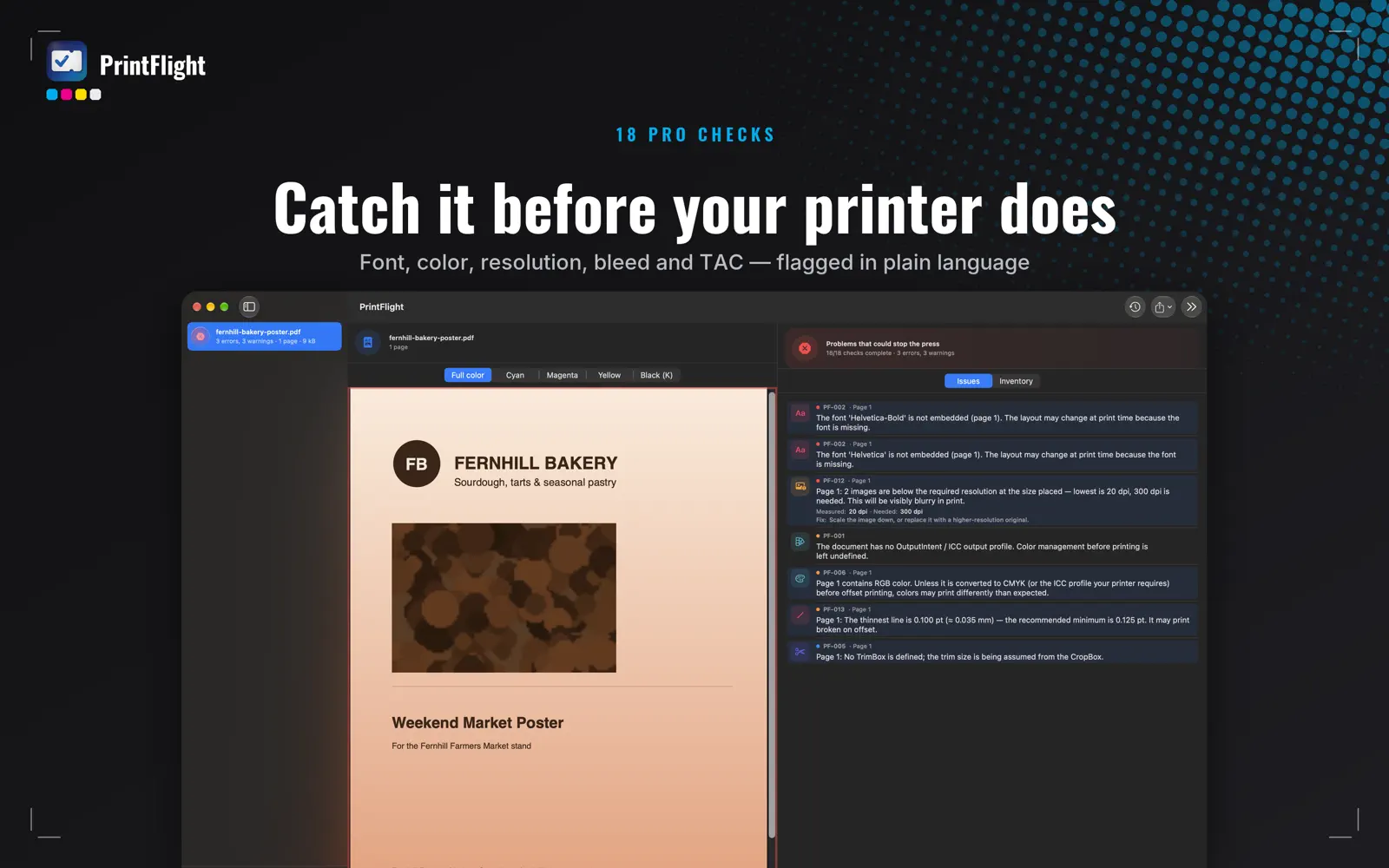
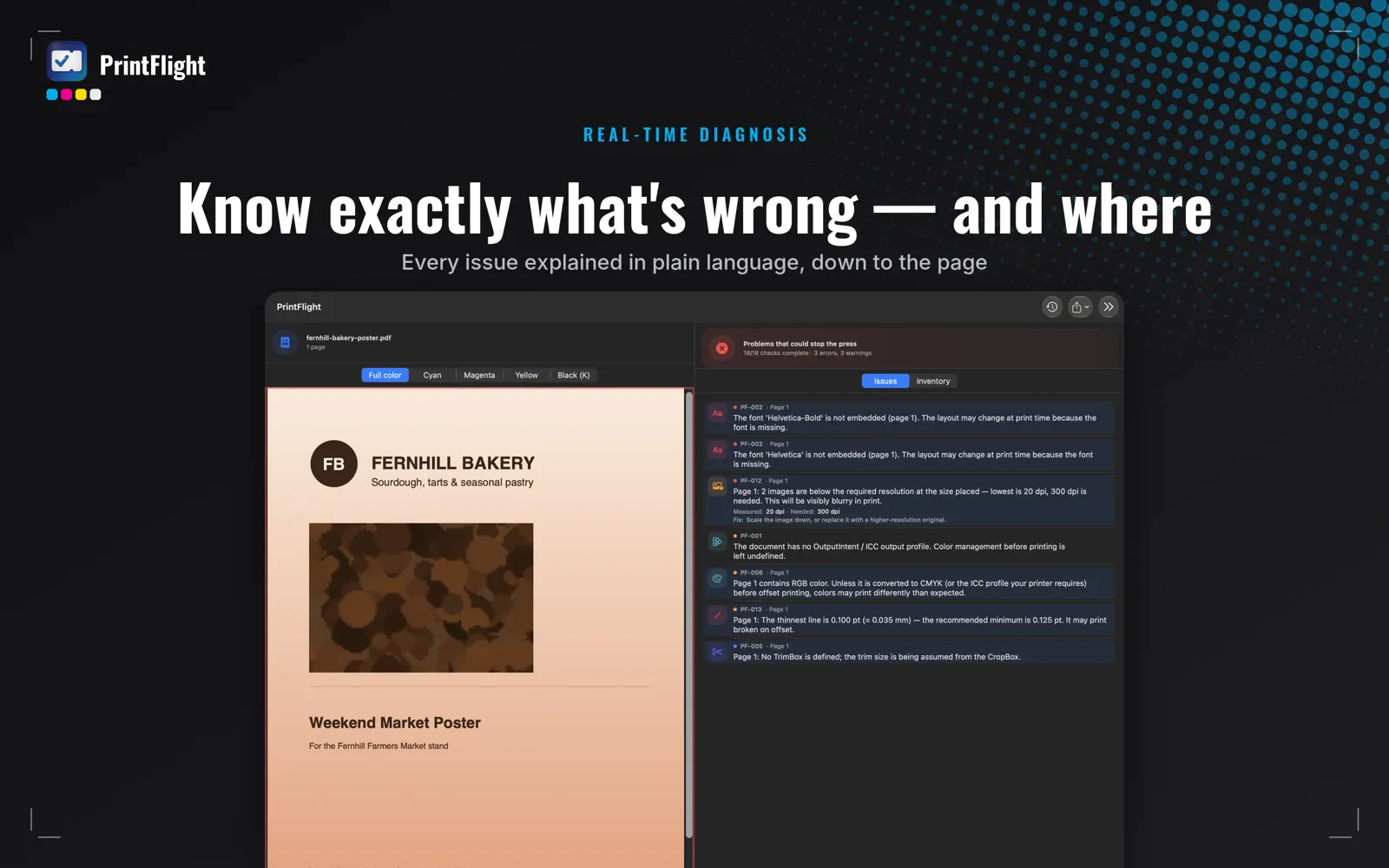
Drag in a PDF and get an instant readiness report across bleed, safe zone, OutputIntent/ICC profiles, embedded fonts, mixed page sizes, spot colors, transparency and overprint, image resolution, hairline strokes, total ink coverage (TAC), encrypted or structurally damaged files, stray annotations, and packaging layers like dielines, white and varnish. Every check runs entirely on your device — your files are never uploaded anywhere.
PRODUCTION PROFILES, YOUR WAY
Switch between Offset, Digital and Large Format presets in one click, or build your own custom profile with the exact thresholds your shop works to. Share a profile with your team as a single file — everyone checks against the same standard.
CATCH WHAT A QUICK LOOK MISSES
See total ink coverage before it causes set-off on press. Preview individual CMYK separations right next to the composite view. Spot-color names are automatically matched against known packaging layers (CutContour, dieline, white, varnish) in English, Turkish and German.
FIX IT, DON'T JUST FLAG IT
One click adds the missing bleed or flattens risky transparency — no need to reopen the file in another app.
AUTOMATE THE REPETITIVE PART
Two Shortcuts actions let you build a "check everything that lands in this folder" automation with Apple's own Shortcuts app — no new software to trust, no background daemon.
KNOW WHAT CHANGED
Re-check a file after a revision and PrintFlight shows only what's new, what's resolved, and what's unchanged — not the whole list again.
SEND A REPORT YOUR CLIENT TRUSTS
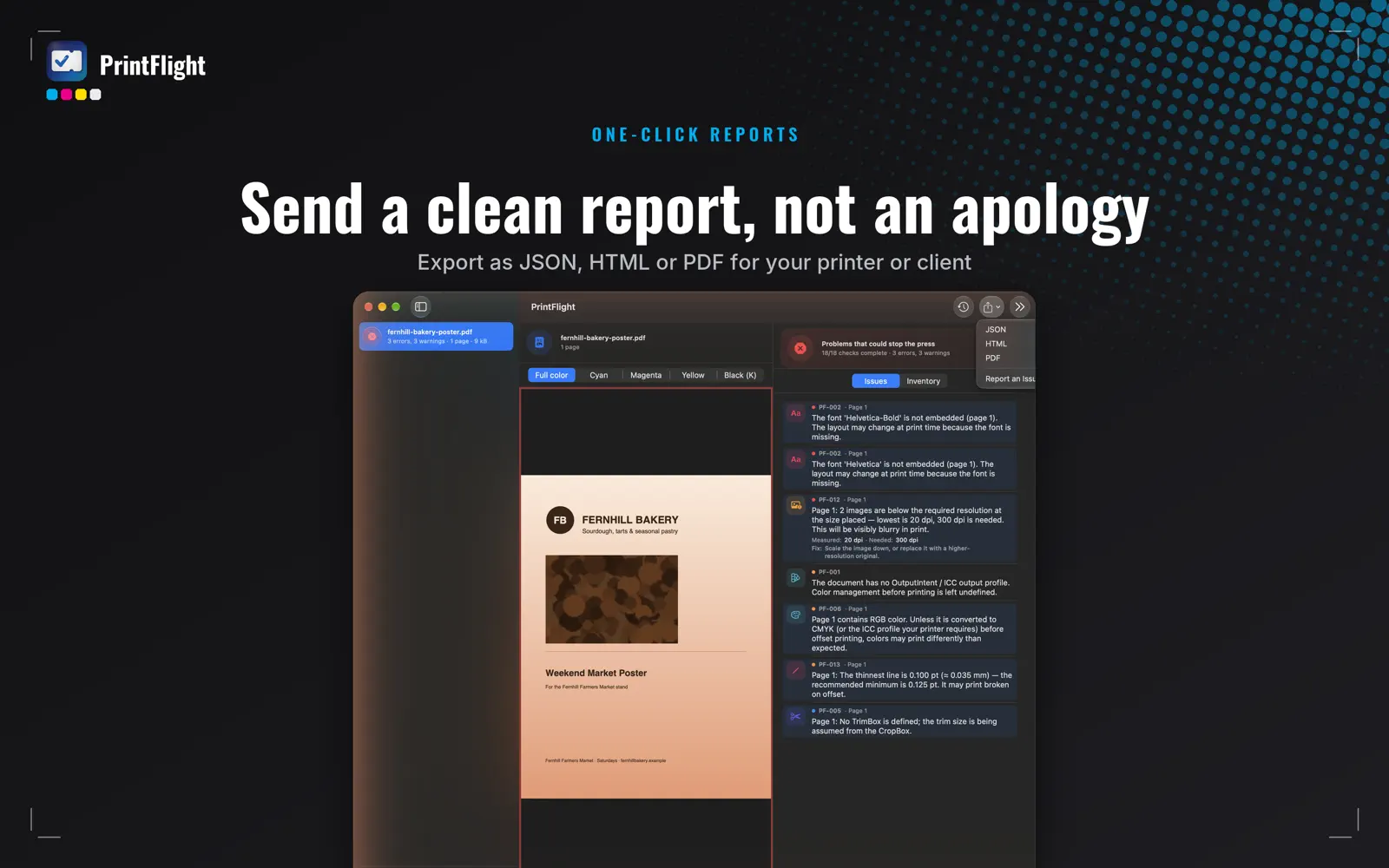
Export a clean JSON, HTML or PDF report — with your own shop's name and logo on it, not ours.
DESIGNED FOR MAC
• Drag-and-drop batch checking
• Right-click "Check with PrintFlight" and Quick Look preview summaries straight from Finder
• No account, no upload wait — results in seconds, even for image-heavy production files
WHY ON-DEVICE MATTERS
Client files — brochures, packaging artwork, legal documents — often contain sensitive or confidential content. PrintFlight never uploads a single byte; every check runs locally using Apple's own PDF and graphics frameworks.
PrintFlight is not a PDF/X *certifier* — it's a fast, honest readiness check that surfaces the mistakes that actually cause reprints, so you catch them before your printer does.


